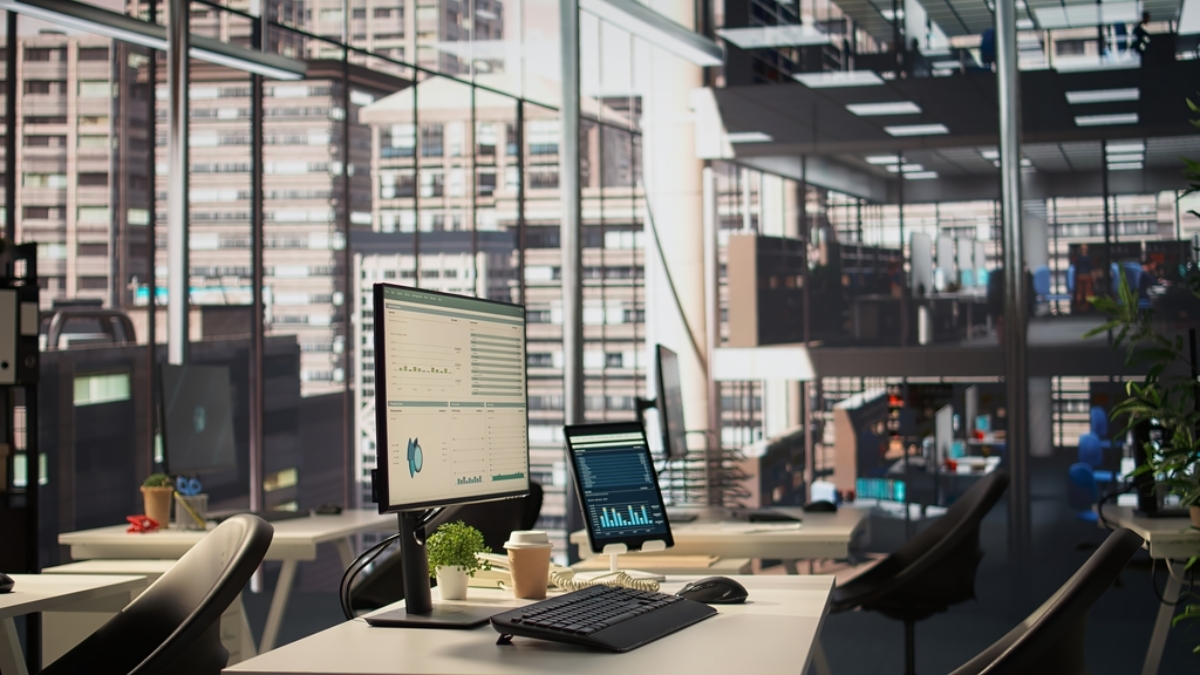
Server rooms are definitely beyond just another office room. They’re a bit more sensitive than simple cleaning solutions. You may need a specific method of cleaning that is very costly to a business if you don’t do it correctly.
The cleaning you do on a logistics business data center differs from the kind of cleaning you do on a small business’s server room. There’s a reason that cleaning rules exist for workspaces and breakrooms. Server rooms are a different game. This guide will help you protect your other assets for your business and make sure your data is safe.
Why Server Room Cleaning Is a Whole Different Game
Your dust buildup might affect your electronics more than you think. Research from the American Society of Heating, Refrigerating, and Air-Conditioning Engineers (ASHRAE) discovered that particulate contamination in data centers is responsible for a large number of hardware failures. Dust collects everywhere, including your server racks, and creates airflow bottlenecks and overheating.
Most of the time, this is the last thing on a business’s mind until hardware failures occur.
This is the main reason professional office cleaning services in Jacksonville are implementing server room cleaning protocols. There is a true purpose for this. Knowledgeable janitors are more helpful than baffled cleaners. A damp cloth is more hazardous than dust.
Some of the concerns with untrained cleaning services are:
- Discharging ESD and damaging a sensitive circuit
- Equipment getting wet from the steam cleaning
- Cleaning solutions leaking onto circuits
- Disconnecting cables
None of these are “what could happen” scenarios. They definitely happen. Quite regularly.
The Right Environment Before You Start
The cleaning staff needs to check the temperature and humidity in the server room. More than in other office sections, the server room controls its own environment.
ASHRAE says server room temperatures should be within the range of 18 degrees to 27 degrees Celsius, and the humidity should remain in the range of 40 to 60 percent. Even the smallest acts of cleaning can influence these conditions. Cleaning staff should monitor these conditions daily and should clean the server room when servers are processing the least amount of load.
Server room cleaning contracts for commercial cleaning in Wilmington, NC, now include environmental checklists. This should be a requirement for server room cleaning contracts everywhere, not just Wilmington.
Tools and Products That Are Actually Safe for Electronics
Let’s talk about what you should and absolutely should not use.
What to Use :
Anti-Static Vacuum Cleaners – Special anti-static vacuum cleaners are used to prevent electrostatic discharge (ESD). Regular vacuum cleaners produce static electricity and can damage electronic components. There are vacuum cleaners for electronic environments made by Atrix and Fellowes.
Isopropyl Alcohol – Isopropyl Alcohol (IPA) at a 70% concentration or higher exhibits a powerful ability to quickly and safely clean electronic surfaces. Isopropyl Alcohol (IPA) evaporates faster and leaves no residue. The Electronics Industries Alliance (EIA) has endorsed IPA in the past as the most suitable cleaning solvent for circuit boards and their respective connectors.
Lint-free Microfiber Cloths – Regular cleaning cloths and paper towels are inadequate. They must be lint-free.
Compressed Air (Filtered, Dry) – Compressed air is a great tool to dislodge particles and debris from tight spaces that cannot be reached by normal cleaning. Hold canisters upright to prevent them from discharging moisture.
ESD-safe Brushes – Use these brushes to gently loosen debris and particles that have become stuck in vents, rack ears, and cable management areas.
What to Avoid
- Standard wet-wipe products containing bleach or ammonia
- Steam cleaners anywhere near open equipment
- Spray bottles directed at hardware
- Feather dusters (they redistribute dust rather than capture it)
- Any cloth that generates static
Step-by-Step: How to Clean a Server Room Professionally
Step 1: Power Assessment
Never power down the servers unless necessary (and only with pre-approval from IT Management). Server room cleaning occurs while the equipment is running; you should do the same.
Step 2: Start from the Top
Always clean ceiling vents and air filters before cleaning the floor. Dust falls. If you clean the floor and then the ceiling, you will create more work for yourself.
Step 3 Rack by Rack Vacuuming
Dust the rack enclosure before moving to the next one. Move methodically and be thorough when cleaning server intake vents, as server airflow gets restricted and can lead to overheating.
Step 4: Cleaning the Tight Spaces
Use Short, controlled bursts of air from the can. Maintain a distance of about 6-10 inches before applying air. You should NEVER tilt the can as the propellant liquid discharges, and can potentially ruin internal components.
Step 5: External Surfaces
Clean the top and side panels and KVM and patch panels with an isopropyl alcohol wipe and a lint free cloth. Wipe the external surfaces of all equipment. Avoid wiping surfaces directly in front of air intakes.
Step 6: Cable Management
As with all cleaning, take the opportunity to find loose or sagging cables, especially those that may touch the ground, create a tripping hazard, or that will disrupt airflow. Report these to an IT manager instead of correcting them.
Step 7: Floors and Raised Floor Tiles
Dust accumulates under raised floor tiles. Remove and vacuum these tiles to clear dust that disrupts the air circulation under the raised floor.
Step 8: Document Everything
A professional cleaning log, date, technician, areas cleaned, and products used to protect the business creates accountability. This is standard practice for commercial cleaning in Holly Ridge operations working with commercial clients in regulated industries.
Cleaning Frequency: How Often Is Enough?
There’s no single universal answer, but here are reasonable benchmarks based on industry guidance from the Data Centre Alliance:
| Area | Recommended Frequency |
|---|---|
| Server rack exteriors | Monthly |
| Air filters | Monthly or per manufacturer spec |
| Raised floor under-tile | Quarterly |
| Cable management trays | Quarterly |
| Ceiling vents | Bi-annually |
| Full deep clean | Annually |
High-traffic environments or those in dusty climates may need more frequent attention.
Special Considerations for Electronic Equipment Beyond the Server Room
Server rooms get the most attention, but electronics cleaning matters across the entire office.
1. Cleaning Workstations and Monitors
It’s not news that keyboards are some of the dirtiest objects, and a study by Which? A magazine (UK) from 2008 concluded that a keyboard can host up to 5 times more bacteria than a toilet seat. Use wipes that apply anaerobic IPA. Remember not to spray a screen; put it on a cloth and then on the screen.
2. Cleaning Printers and Copiers
These devices are dust magnets, easy to clean, but they contain moving pieces. Follow the manufacturer’s directions to clean them. Most allow the use of highly compressed air from the inside and IPA on the outside.
3. Cleaning Network Switches and Routers
Consider these devices the same as any server equipment. Use an anti-static vacuum, IPA on the surfaces, and highly compressed air on the vents. These devices are often neglected because they are kept tucked away in cupboards and are not highly visible.
Working with a Professional Cleaning Provider
Is your business dependent on any servers, sensitive electronics, IT hardware, or any other kind of electronic equipment? If so, the cleaning company that maintains your business space must have a thorough understanding of electronic environments.
Ask the following questions when considering office cleaning services in Jacksonville:
- Have your employees been trained on ESD safety?
- What products do you use to clean server rooms?
- Will you be able to clean while the IT staff are still working?
- Will you be able to share your cleaning procedures for review?
Reputable providers will answer thoroughly and confidently, but those who answer with confusion should be noted as a red flag.
Tech-aware cleaning packages have increasingly been built into Commercial cleaning in Wilmington, NC businesses and their counterparts throughout the Southeast. These are no longer considered premium packages.
Common Mistakes Businesses Make
1. Treating server rooms like storage rooms: They’re often cold, often dark, and often used as overflow storage. This is dangerous. Every additional person and every additional item increases contamination risk.
2. Leaving cleaning entirely to IT staff: IT staff are not cleaners. They may know the equipment, but professional cleaning technique, angle of approach, type of cloth, and sequence of tasks is a skill set of its own.
3. Waiting for a problem to appear: Preventive cleaning costs a fraction of what reactive equipment replacement costs. A single failed hard drive in a critical production system can cost far more than a year of professional cleaning contracts.
4. Ignoring humidity: Cleaning activities can introduce moisture into an environment. This matters in humid coastal climates, especially for businesses using commercial cleaning in Holly Ridge near the North Carolina coast, which should factor local climate conditions into their cleaning protocols.
Frequently Asked Questions
Q: Can I use regular disinfectant wipes on my office computers and servers?
The Answer is No. Standard disinfectant wipes can cause damage to the screens and rubber seals of computers and servers, and will clog the connectors. Wipes with IPA (isopropyl alcohol) on a lint-free cloth would be the safest option to clean computers.
Q: How do I know if my current office cleaning company is safe for electronics environments?
Ask them directly. A qualified provider offering commercial cleaning in Wilmington, NC or any commercial market should be able to provide a specific electronics or server room cleaning protocol. If they can’t, escalate to a specialist provider before granting access to your server room.
Q: Should servers be switched off before cleaning?
As a general rule of cleaning server rooms, yes. There are certain times when the server will need to be shut off for cleaning, such as when you are cleaning deep inside a certain server. In this instance, you will need to reach out to your IT team to assist you with the cleaning process.
Q: How long does a professional server room clean take?
It will depend on the size of the server room, but cleaning a server room with two or three racks can take between two to four hours. Larger server rooms will take longer.
Q: Is ESD really a serious risk during cleaning?
It is a very serious potential risk that can happen. Damaging and destroying very sensitive electronics can happen during cleaning, and there will be no visible sign of this. ESD can disrupt the normal operation of electronics and lead to degradation of performance. There will be ESD-safe equipment, grounding, and procedures that will be set in place upon bringing a company in to do specialized cleaning of the electronics.
Final Thoughts
The mainframe of several contemporary organizations is technology infrastructure. High-tech devices, such as smart appliances that streamline business processes, need to be well-maintained.
Cleaning high-tech devices is not too complex. It requires a proper cleaning technology, a specialized cleaning tool, and discipline. It does not matter if your organization cleans the devices in-house or if the company hires a specialized cleaning service; cleaning specialists need to be mindful and respectful of the electronics.
Your cleaning staff should not be using a standard cleaning spray near the server racks. Those staff need to be disciplined and mindful of the technology infrastructure.
Looking for reliable and technology-safe cleaning solutions for your workplace? Contact today to learn how professional office and commercial cleaning services can help protect your electronics, improve workplace hygiene, and keep your business running smoothly.
Learn More: Urgent Care Cleaning: Why High-Traffic Clinics Need a Different Protocol Than Doctors’ Offices

Leave A Comment